













Follow the steps below to invite the Recovery team:
- Log in to your Reign dashboard
- Navigate to Admin → Accounts → Users
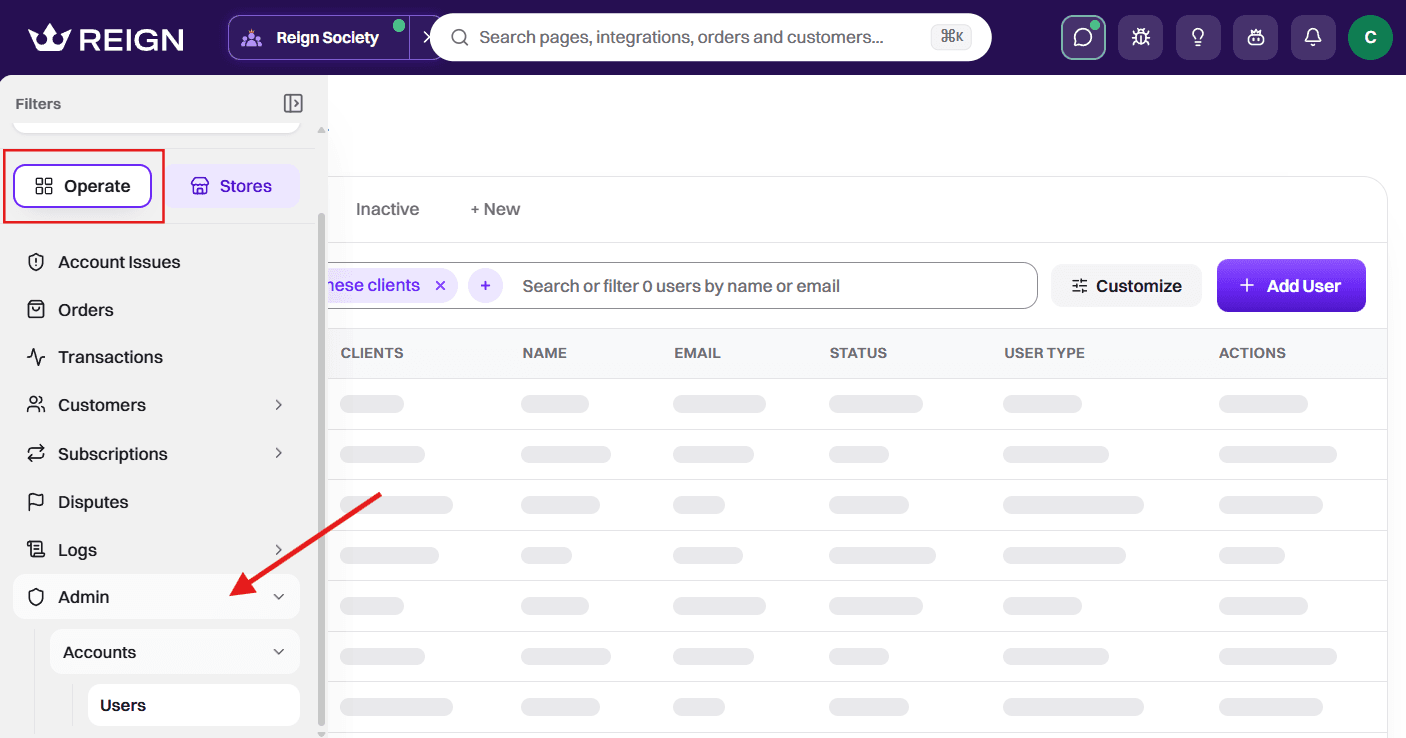
- Click Add User in the top-right corner
- Fill in the following details:
- Name: Chargeblast Recovery Team
- Email: [email protected]
- Under User Type, select Admin (recommended) or the highest role available to you
- Set the following:
- Clients: Select every client you want us to handle chargebacks for
- Stores: Select All Stores. If this is left empty, we won’t be able to see your orders or store data
- Status: Leave it set to Active
- Proceed to Next: Review and confirm the email address is correct
- Click Create user
Tags
reignphoenixrecoverycrm
Was this article helpful?
Help us improve our documentation