













Follow these steps to connect your Whop account to Chargeblast
- Navigate to the Whop integrations tab on Chargeblast here
- Enter your Company ID and API Key
- Enable the toggle and click Save Changes
How to Create an API key:
- Log in to your Whop dashboard
- Go to the Developer → Company API keys
- In Company API Keys, click Create
- Name the key as "Chargeblast" for easy identification
- Provide the right permissions below, then Save
- Copy the key and save it in your local .env file
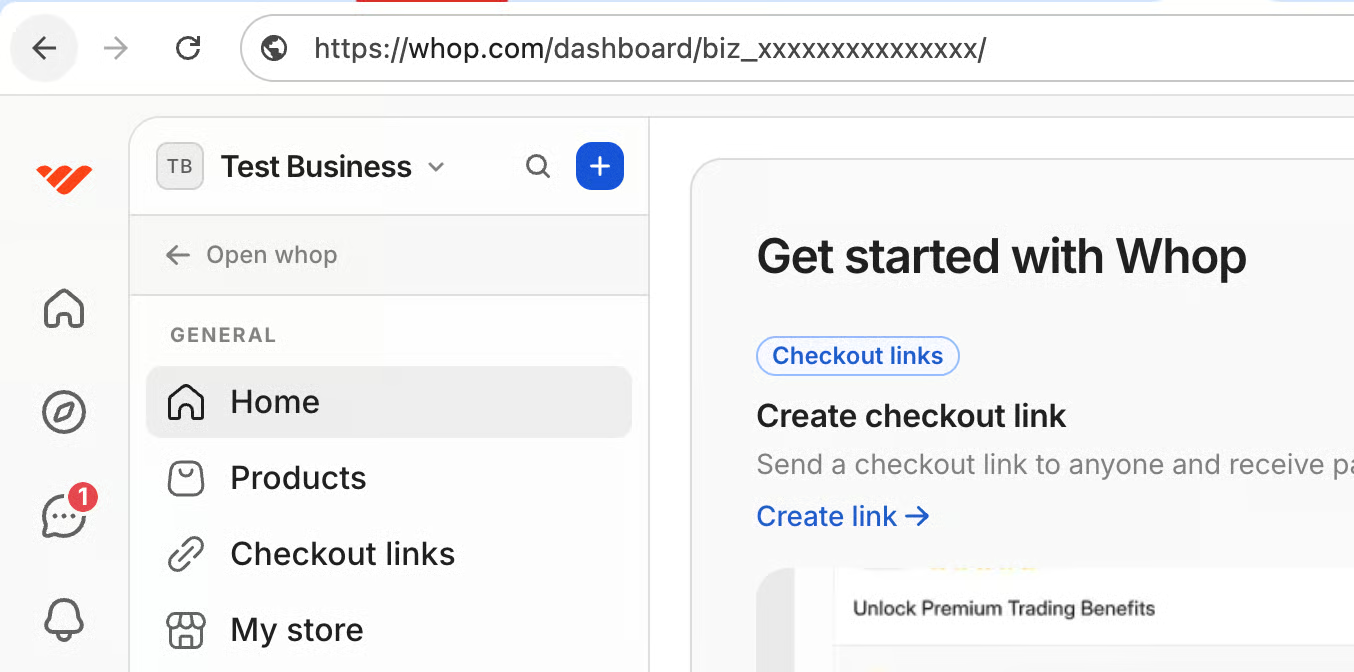
- Your company ID (starts with biz_) can be found in the dashboard URL when viewing your business
Scope Permissions:
Write access (Refunds & Voids)
- payment:manage
Read access
- payment:basic:read
- payment:dispute:read
- payment:resolution_center_case:read
- plan:basic:read
- access_pass:basic:read
- company:basic:read
- member:basic:read
- member:email:read
- member:phone:read
- promo_code:basic:read
Tags
paymentswhop
Was this article helpful?
Help us improve our documentation