













Follow these steps to connect your Sticky.io account to Chargeblast
- Navigate to the Sticky integrations tab on Chargeblast here
- Enter the Subdomain, Username, and Password
- Enable the toggle and click Save Changes
Creating an API User
- Create a new API user in your Sticky account. Phone number and email do not matter
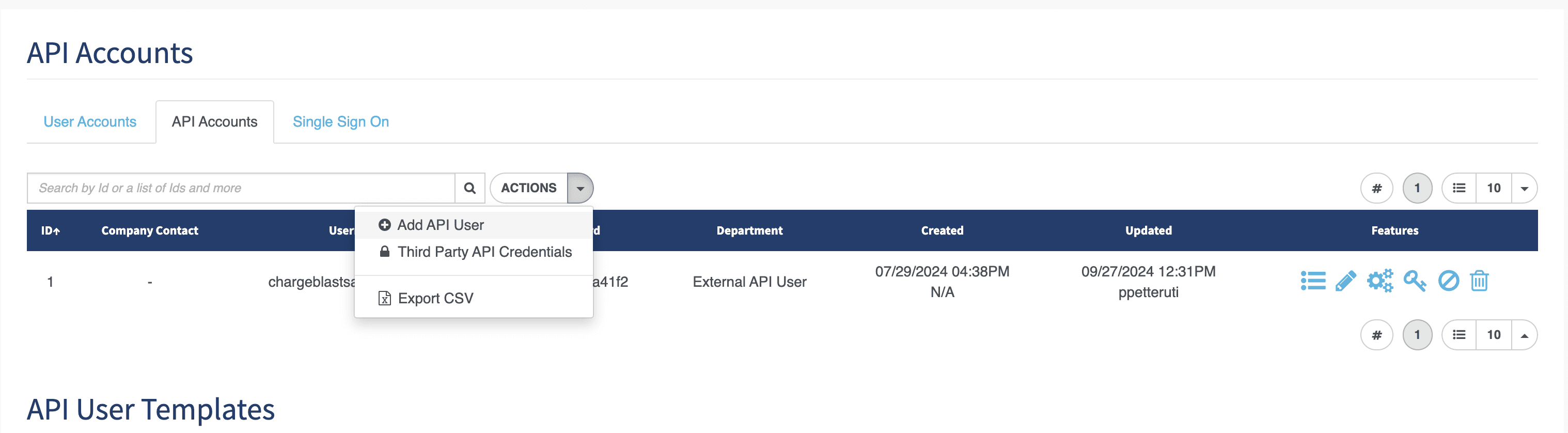
- Once created, set the permissions:
- campaign_find_active
- campaign_view
- order_calculate_refund
- order_find
- order_find_updated
- order_product_refund
- order_product_return
- order_refund
- order_update
- order_update_recurring
- order_view
- order_void
- subscription_update
- upsell_stop_recurring
Tags
sticky.iointegration
Was this article helpful?
Help us improve our documentation