













Follow these steps to connect your Checkout Champ account to Chargeblast
- Navigate to the Checkout Champ integrations tab on Chargeblast here
- Enter your API Username and API Password
- Click Activate
How to get these API credentials:
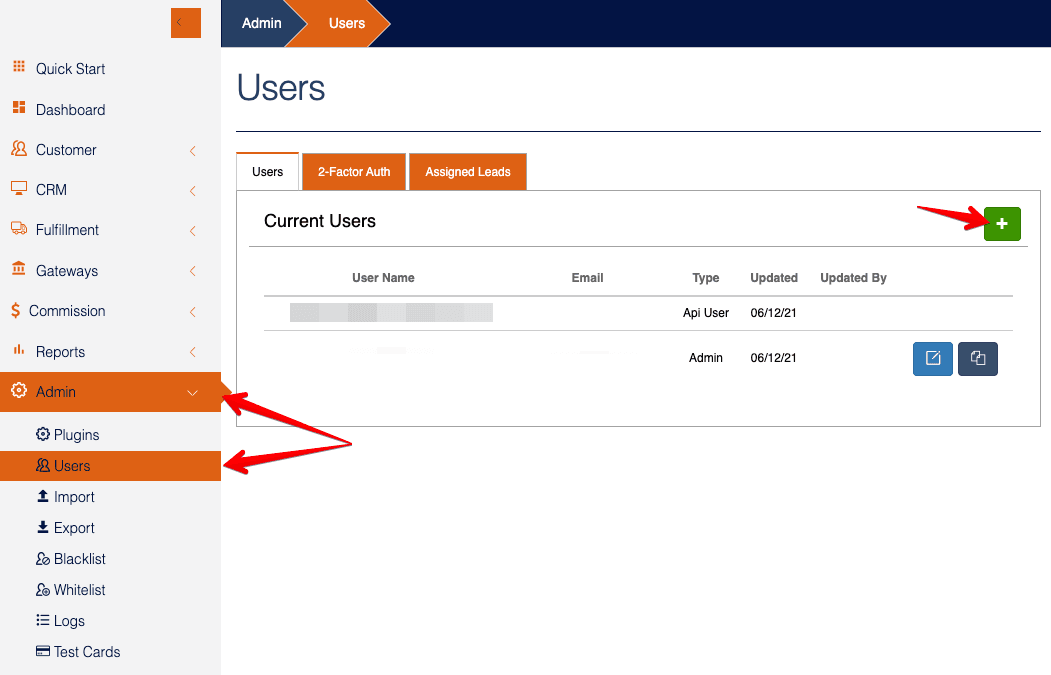
- Log in to your Checkout Champ dashboard
- Navigate to Admin
- Select Users
- Click the + icon to create a new user
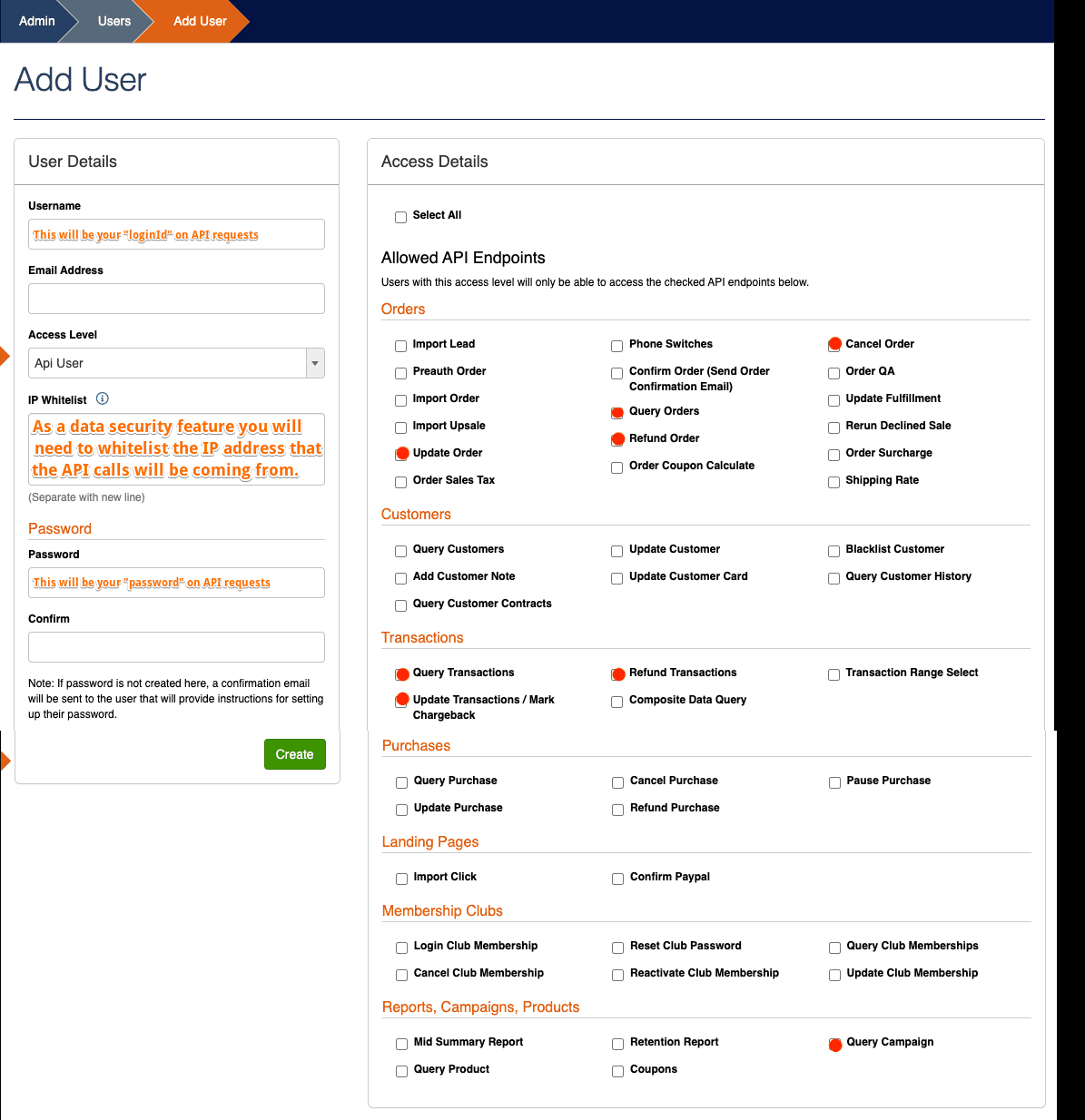
- Enter the following details:
- Email: [email protected]
- Password: Create a secure password that will also be entered into Chargeblast during the integration setup
- Under IP Whitelist, add the following IP addresses:
- 72.93.225.215
- 54.160.232.145
- 44.215.229.88
- Enable the following permission scopes:
- Update Order
- Query Orders
- Refund Order
- Cancel Order
- Query Transaction
- Refund Transaction
- Update Transactions / Mark Chargeback
- Query Campaigns
- Save the new user
Tags
checkout champintegration
Was this article helpful?
Help us improve our documentation