













If you are receiving a high volume of matched alerts with high match scores, you can have all match scores above a specified threshold be rounded up to perfect matches.
This is controlled by the Flexible Matching toggle in your account Settings, alongside your other matching settings (RDR Matching, RDR Notifications, API Matching, etc.).
How to turn it on
- Go to Settings and locate Flexible Matching.
- Toggle it on. A Confirm Threshold modal will appear.
- Enter your desired Threshold value. This must be between 50 and 100.
- Click Confirm Enablement to apply the setting.
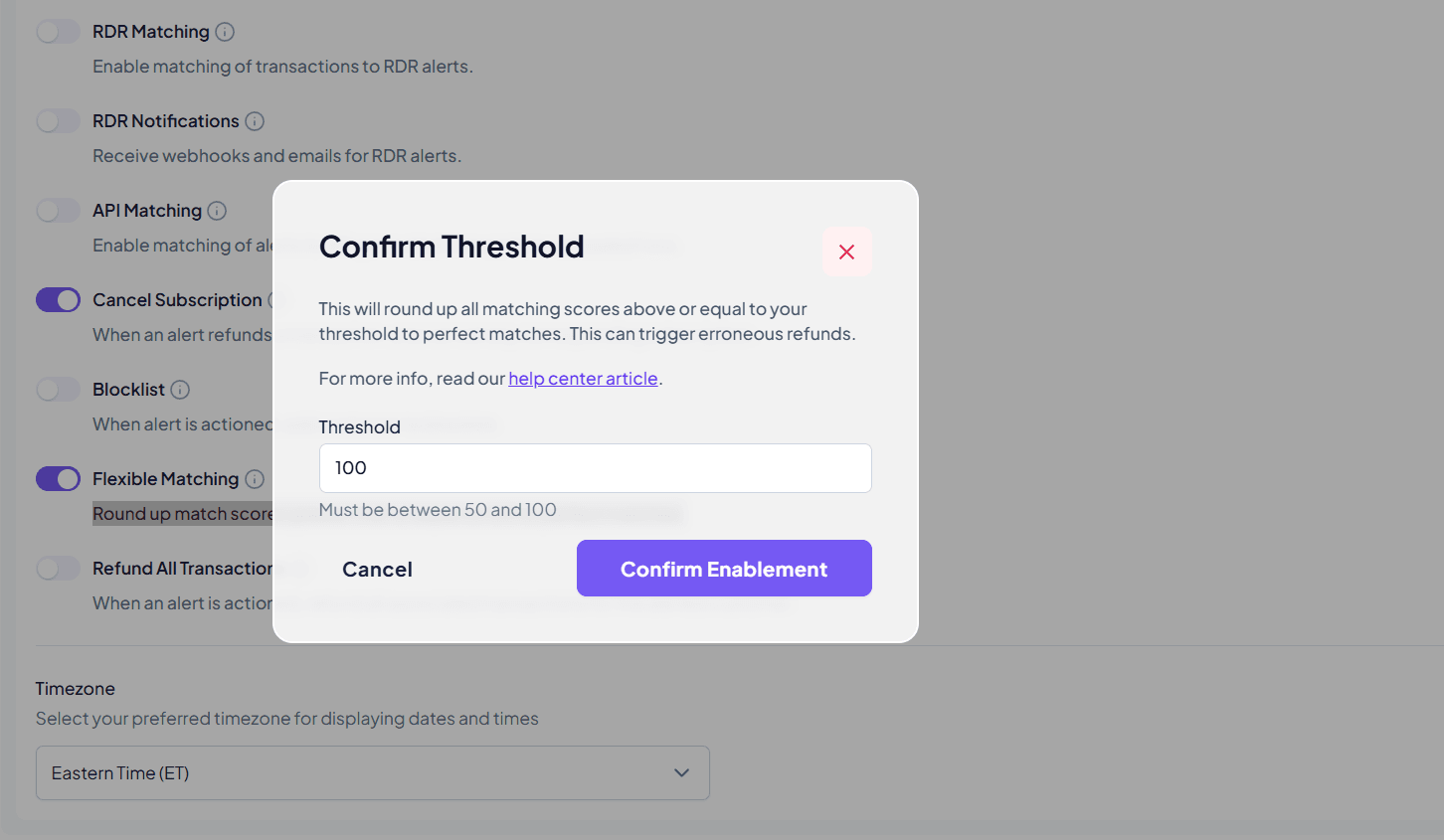
Any match score at or above your chosen threshold will be automatically rounded up and treated as a perfect match.
Tags
round upmatch scores
Was this article helpful?
Help us improve our documentation