













Follow these steps to connect your Appstle account to Chargeblast
Navigate to the Appstle Subscription store integration here
Enter your Shop Domain (
mystore.myshopify.com) and Appstle API KeyClick Save Changes and Activate
Getting your Appstle API Key
Make sure your Appstle plan includes API access. Appstle requires an active API plan to use API keys. If you’re not sure, contact Appstle support before continuing
- Log in to your Appstle Admin Panel
- Go to Settings → API Key Management
- Click Create New Key and enter a name (e.g., Chargeblast)
- Copy the generated API key and paste it into Chargeblast
Note: Appstle API keys start with
apst_and are only displayed once. Make sure to copy your key before leaving the page
Finding your Shop Domain
Log in to your Shopify Admin
Go to Settings → Domains
Copy your
.myshopify.comdomain and paste it into Chargeblast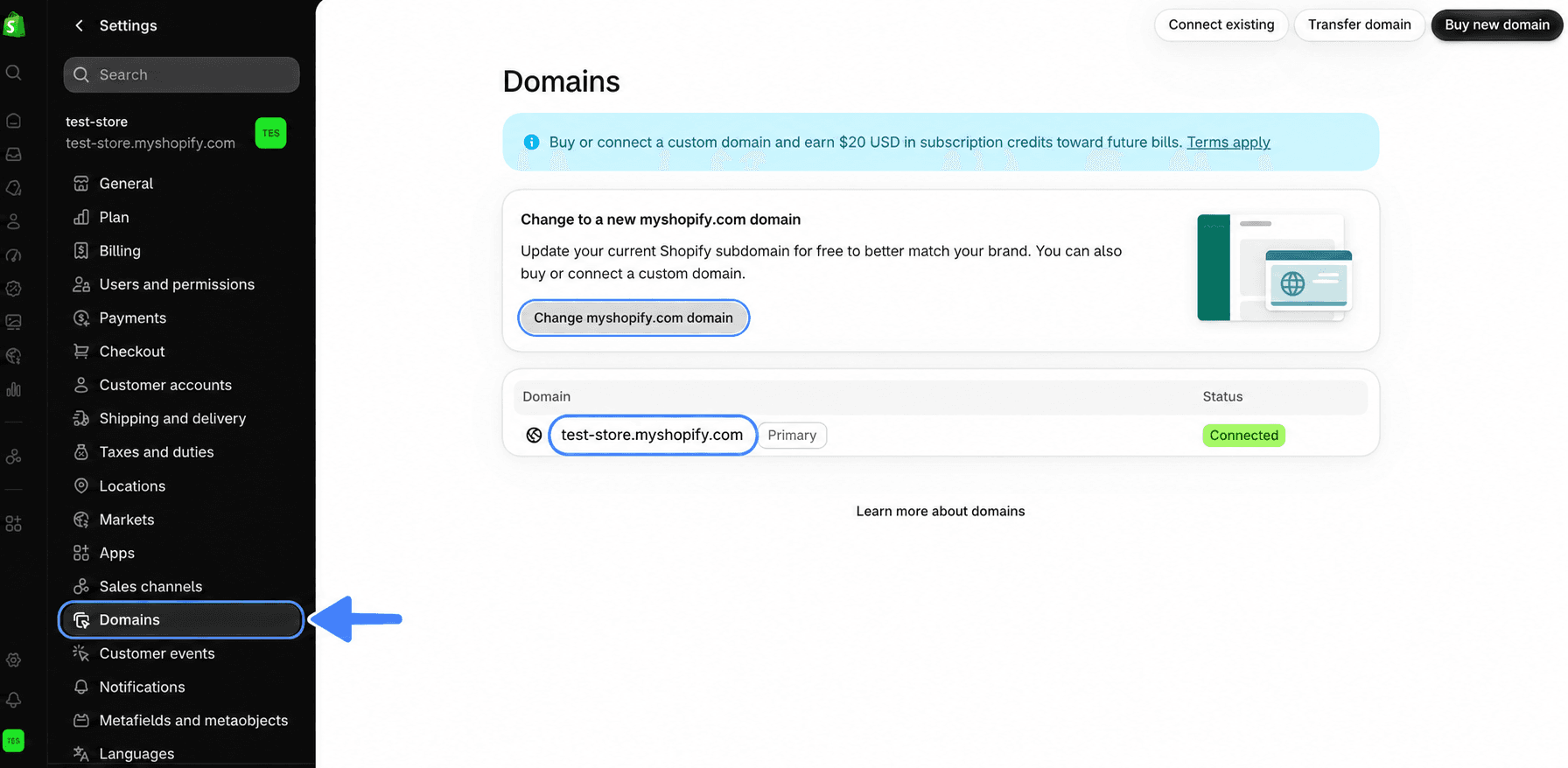
Note: Use your
.myshopify.comdomain withouthttps://or a trailing slash. Do not use your custom store domain
Tags
Was this article helpful?
Help us improve our documentation