













Why Does My Alert Show as Declined?
An alert shows as Declined when it was resolved without a refund. That happens in one of two ways:
- You declined it: You chose not to refund the transaction, or you declined it to request a credit.
- The system declined it: Chargeblast detected a faulty alert, such as one for an order you'd already refunded, and declined it for you.
Alert data comes from banks and card networks, and they sometimes send alerts that are faulty or redundant. Most system-declined alerts are eligible for a credit, so you don't pay for alerts that couldn't help you.
Credits Applied Automatically
For some faulty alerts, the system declines the alert and applies the credit for you. This includes alerts for orders you refunded before the alert arrived, and alerts for failed transactions. If you don't see a credit on a declined alert, request one using the steps below.
CDRN alerts aren’t credited. This applies even when the system declines a CDRN alert because the order was already refunded. Credit rules for CDRN are set by Verifi, not Chargeblast. See Verifi’s CDRN Alert Policy.
How to Request a Credit
Follow the steps below to obtain a credit for a faulty alert:
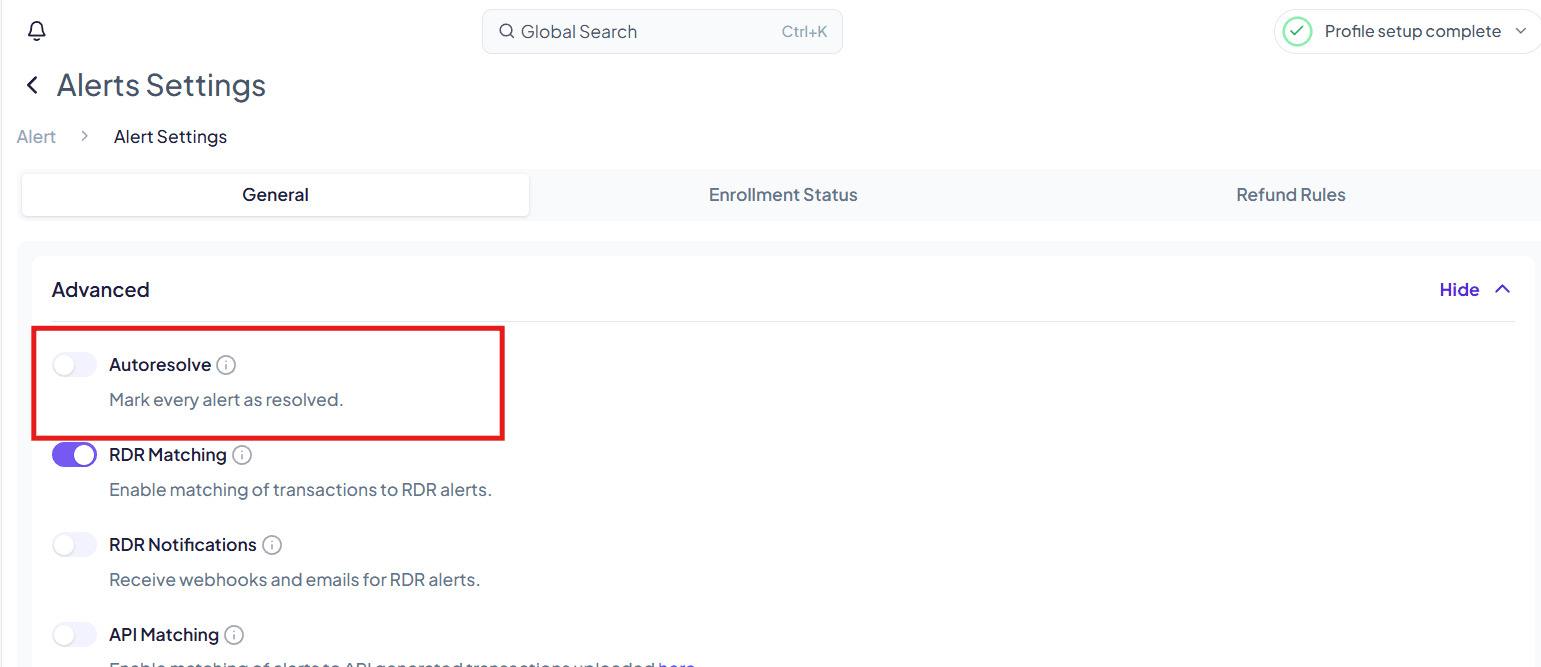
- Go to Alert Settings and uncheck Auto Resolve. Do this before new alerts begin arriving, as the setting only applies to future alerts and will not affect alerts that have already been received
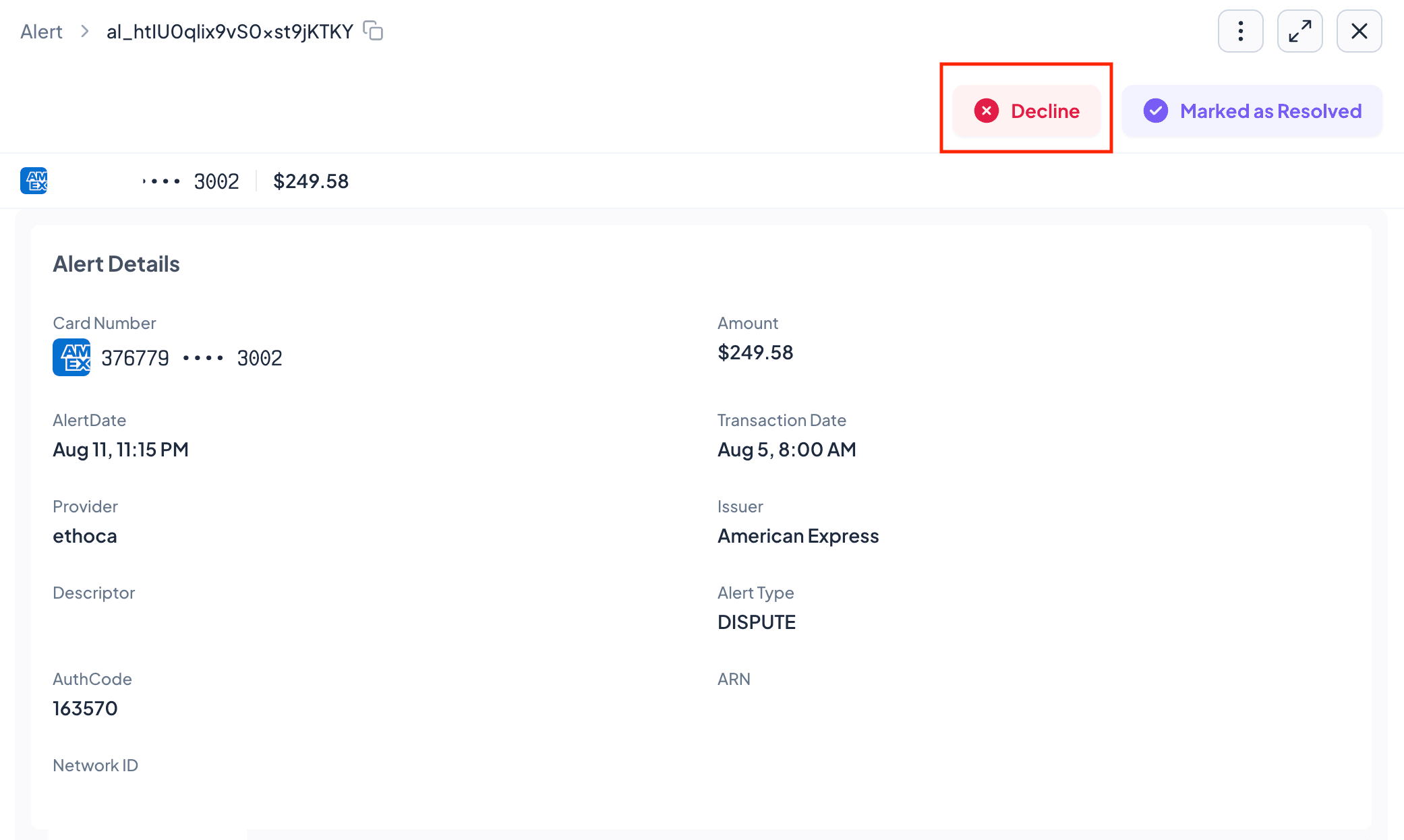
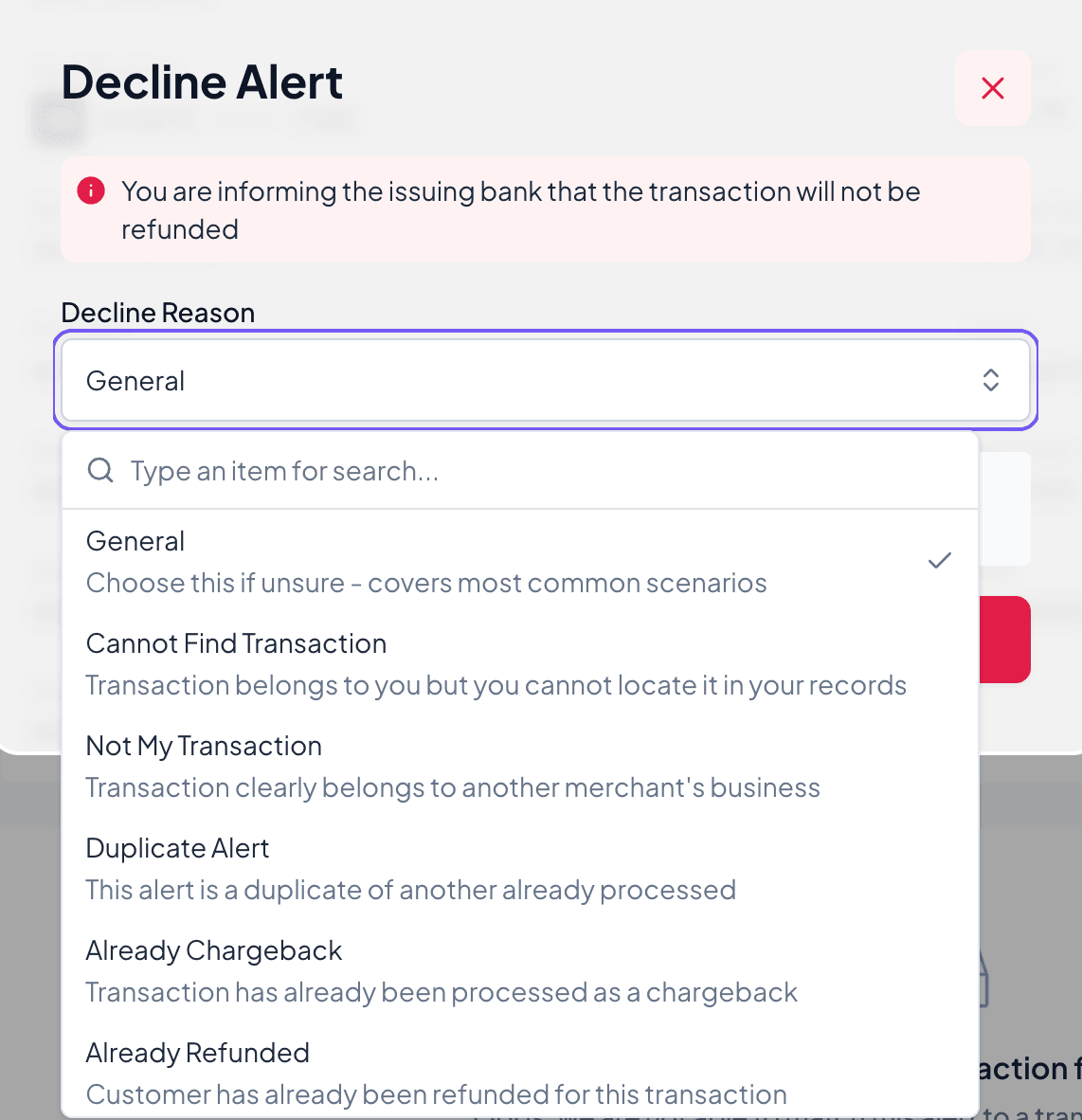
- Decline the alert. Open the alert details page, set the status to Decline, select the appropriate Reason Code, then click Request Credit
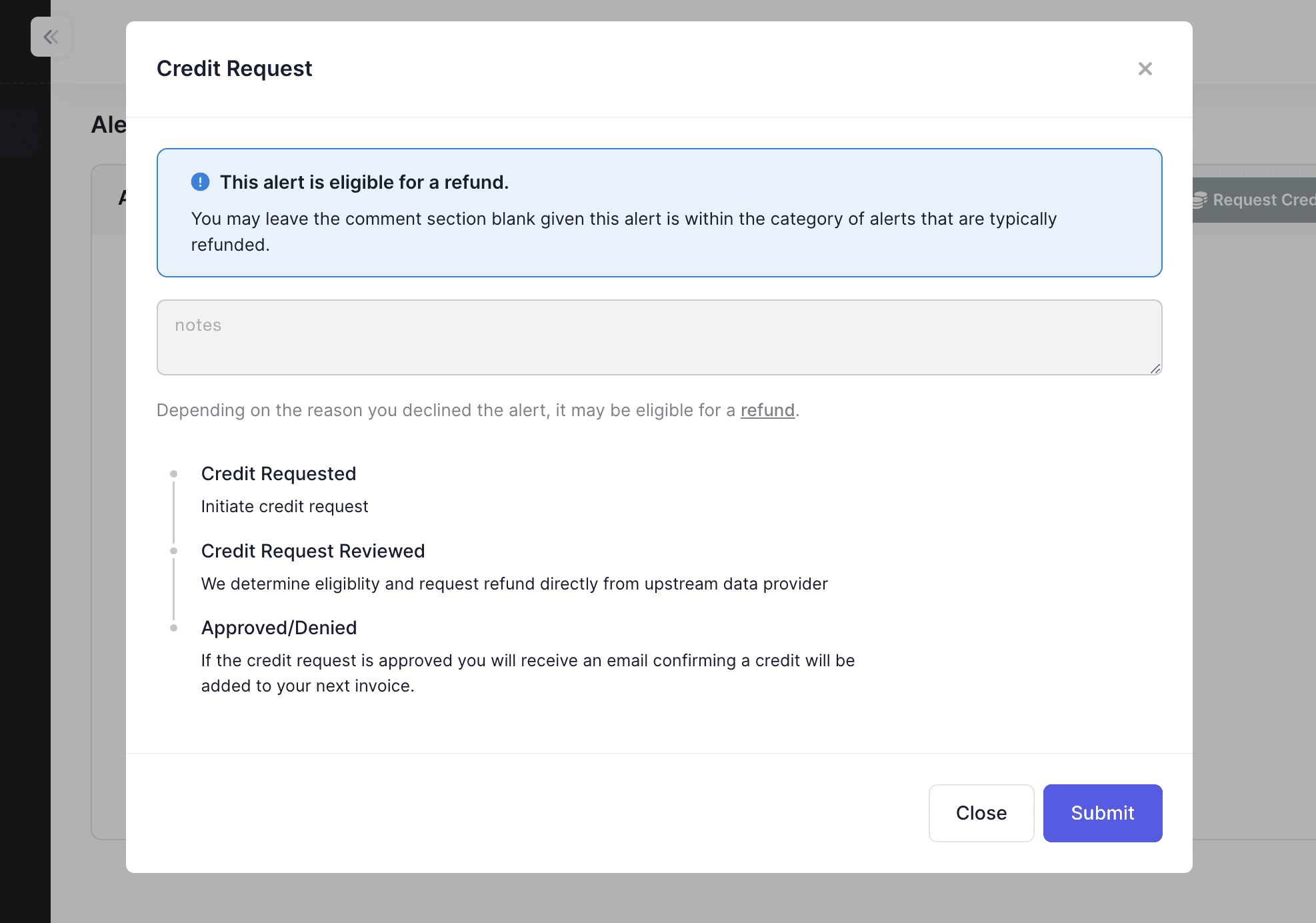
- Provide supporting evidence. Attach supporting documentation, such as a refund confirmation, transaction details, or a failed transaction record. This is required for your credit request to be reviewed
- Wait for a decision. Credit requests are typically reviewed within 3—5 business days. You'll receive an email with the outcome. If approved, the credit will be automatically applied as a deduction to your next invoice
There's no deadline to request a credit
Manual mode requires faster time to action
By turning off auto-resolve mode, you will have less time to action each alert as different response codes will be sent to the banks depending on how you manually mark each alert. Learn more about manual vs auto-resolve mode here.
What is Eligible for a Credit?
Eligibility is partially determined by our data providers (Ethoca and Visa Verifi). If a provider rejects a request but we consider the underlying reason legitimate, we issue a 50% partial credit instead of a full one. Be prepared to provide supporting evidence, since providers may audit submissions.
Reasons Eligible for Credit
| Code | Description |
|---|---|
Already Chargeback | The chargeback was finalized prior to or within 24 hours of the alert being transmitted — there's nothing left to action |
Already Refunded | The transaction was refunded prior to the alert being transmitted, so no chargeback should be filed. Example: transaction was refunded May 28; alert arrived May 30 |
Transaction Cancelled | The transaction failed, canceled, or blocked, but an alert fired anyway |
Duplicate | The same transaction generates two alerts, either two from Ethoca or one from Ethoca and one from RDR. The second alert is eligible, subject to review. CDRN alerts are never eligible. If CDRN arrives before Ethoca, only the Ethoca alert can be credited. |
MID Closure | Eligible only for alerts sent between your unenrollment request date and the actual unenrollment date. Alerts sent outside that window are not eligible |
Reasons Not Eligible for Credit
| Code | Description |
|---|---|
3D Secure | The transaction was 3D Secure (3DS) verified. Occasionally, you may want to decline fraud-coded alerts on 3DS-authenticated transactions |
Not My Transaction | The billing descriptor or MID on the alert doesn't belong to your merchant account. ⚠️ Use with caution — actioning alerts with this code may result in the descriptor being automatically unenrolled from the alerts |
Not sure if your alert is eligible? Reach out to live chat before submitting — we can confirm eligibility in advance and save you the wait
Does a Declined Alert Mean I'll Get a Chargeback?
Not necessarily. If the system declined the alert because you'd already refunded the order, the customer already has their money back. If the transaction was already a chargeback, the dispute was filed before the alert arrived. If you see a chargeback on an order you refunded, see Disputes on Refunds.
Tags
Was this article helpful?
Help us improve our documentation