













Follow these steps to connect your Vrio account to Chargeblast
- Navigate to the Vrio integrations tab on Chargeblast here
- Enter your API Key, and toggle it on
- Enable the toggle and click Save Changes
Generate the Vrio API Key
Go to the Vrio dashboard
In the top navigation, click Settings
Go to the Permissions tab
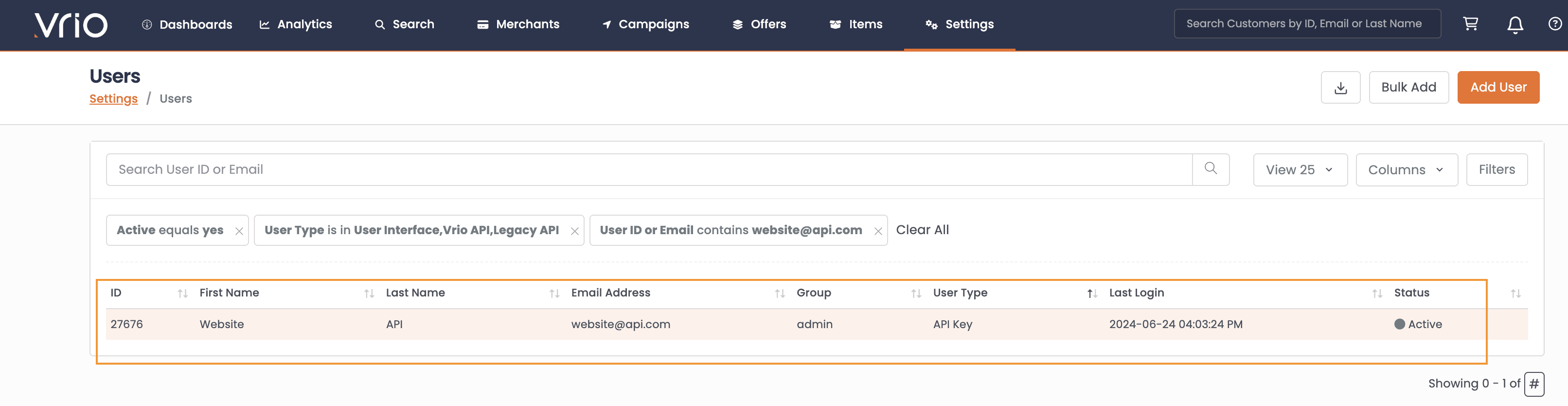
Click Users, then select Add User
Choose Vrio API as the user type
Select Admin as a Group. Groups control the permissions assigned to a user
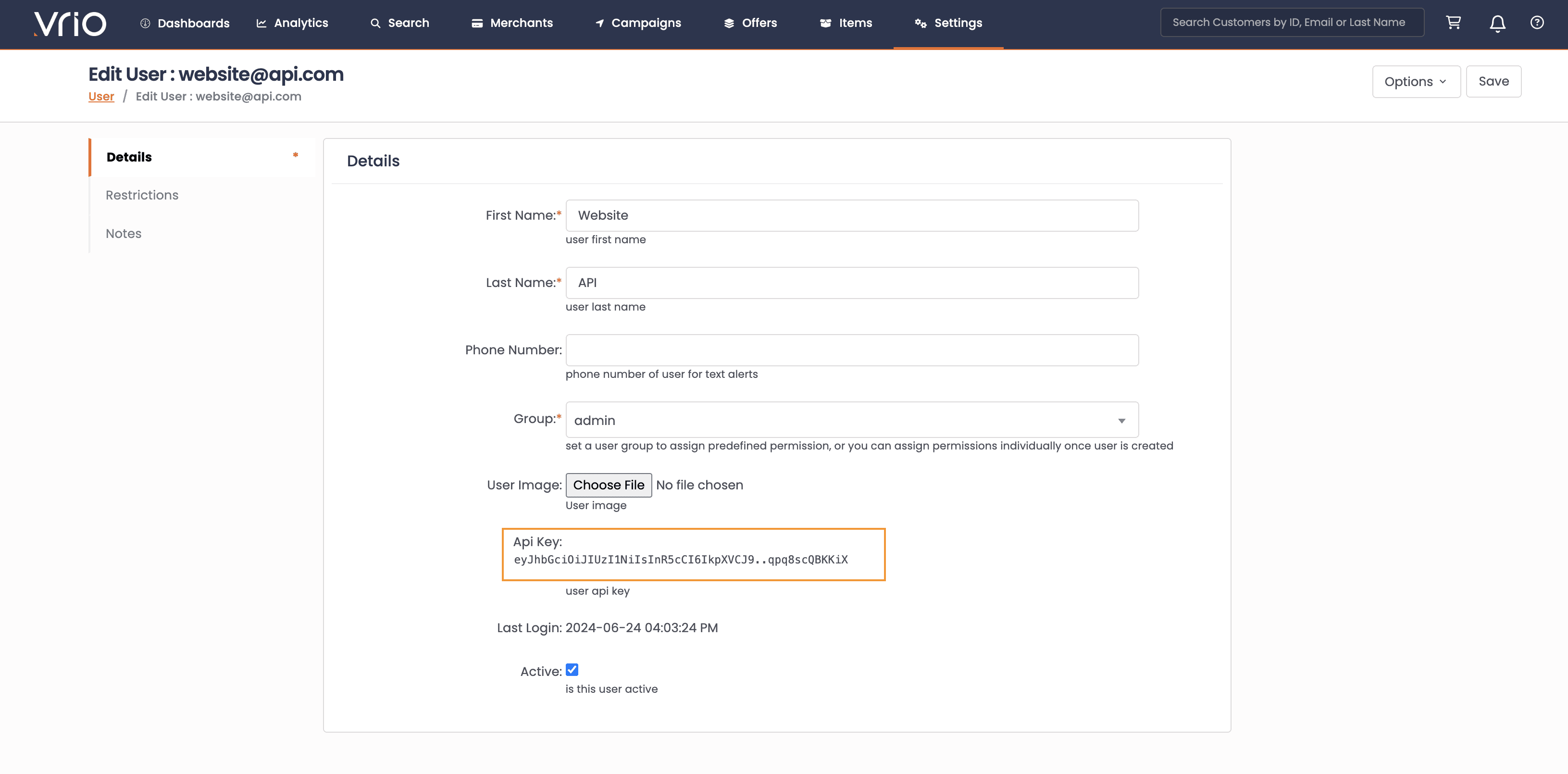
Click Save, then open the newly created user
Under Details, copy the API key
Tags
paymentsvrio
Was this article helpful?
Help us improve our documentation