













Follow these steps to connect your Finix account to Chargeblast
- Navigate to the Finix integrations tab on Chargeblast here
- Enter your API Username and API Password
- Enable the toggle and click Save Changes
Creating API Keys
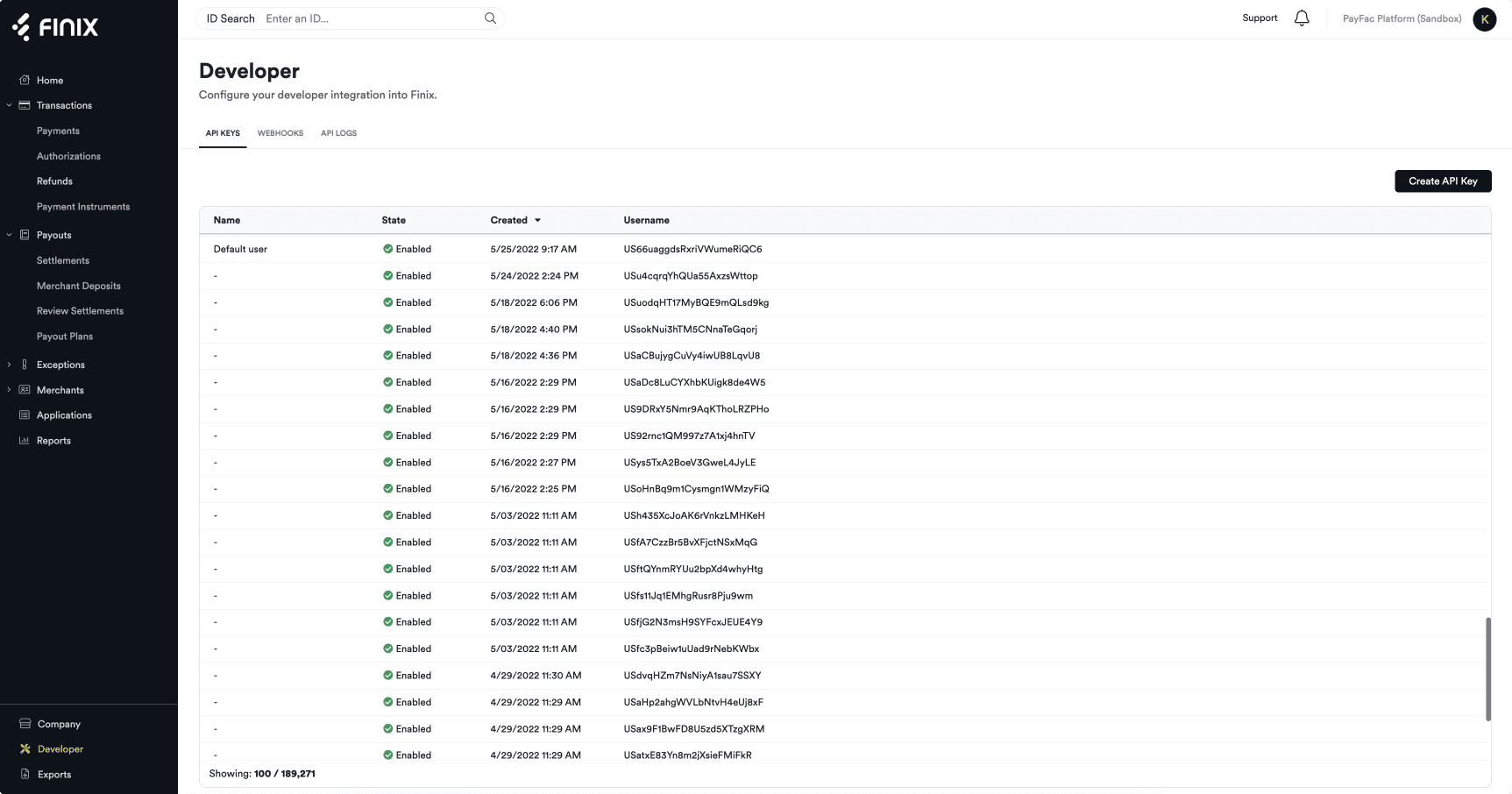
Go to Developers, then API Keys in the Finix dashboard
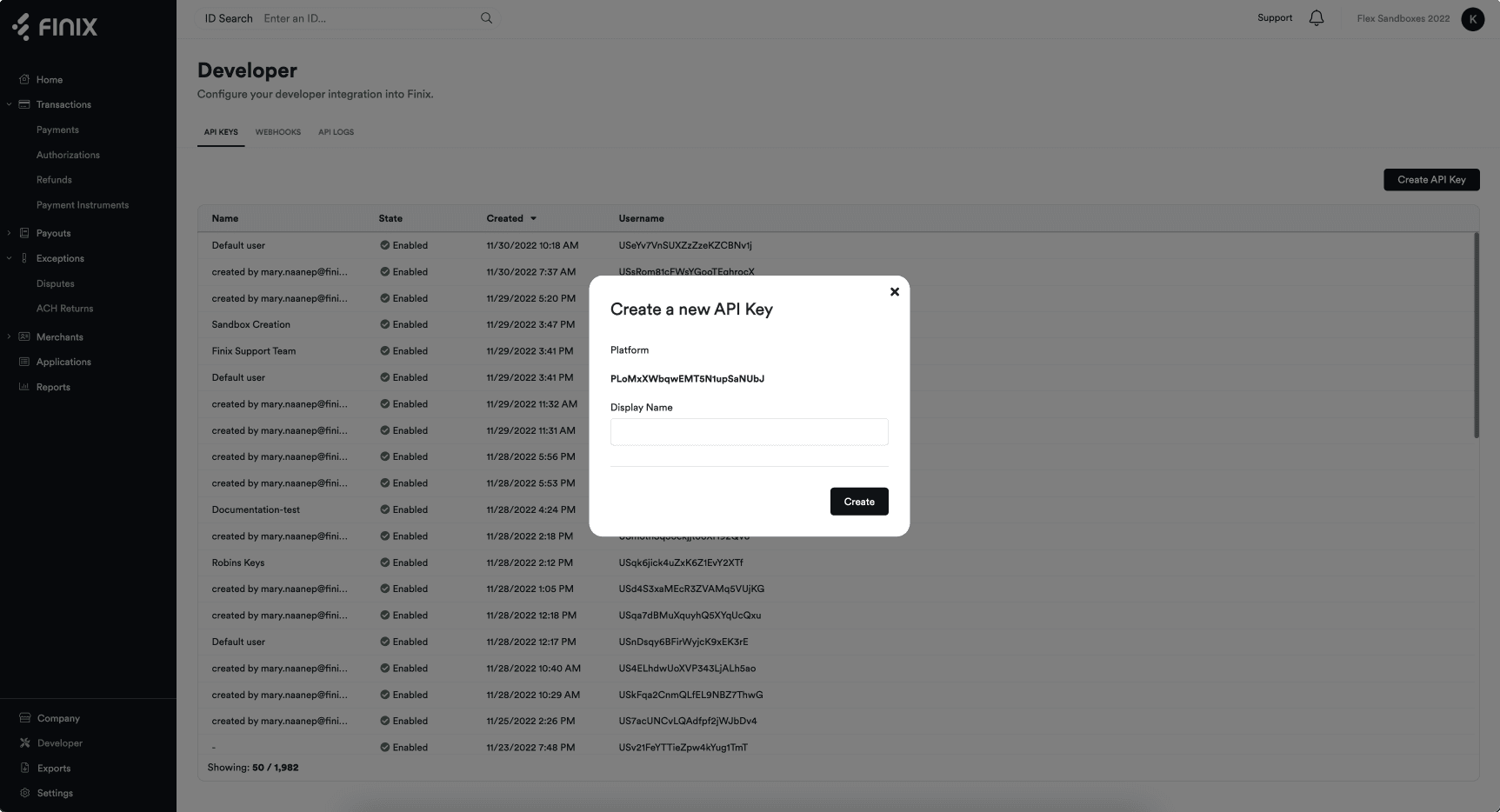
Click Create API Key, enter "Chargeblast" as a display name, and generate the key
Store the credentials securely
Note: Store your password securely—you won’t be able to copy it again. You can generate a new API key if needed. Treat API keys like passwords: keep them secure and share only when necessary.
Tags
paymentsintegrationfinix
Was this article helpful?
Help us improve our documentation