













Follow these steps to connect your Airwallex account to Chargeblast
- Navigate to the Airwallex integrations tab on Chargeblast here
- Enter your Client ID and API Key
- Click Save Changes and Activate
To Retrieve the API Key
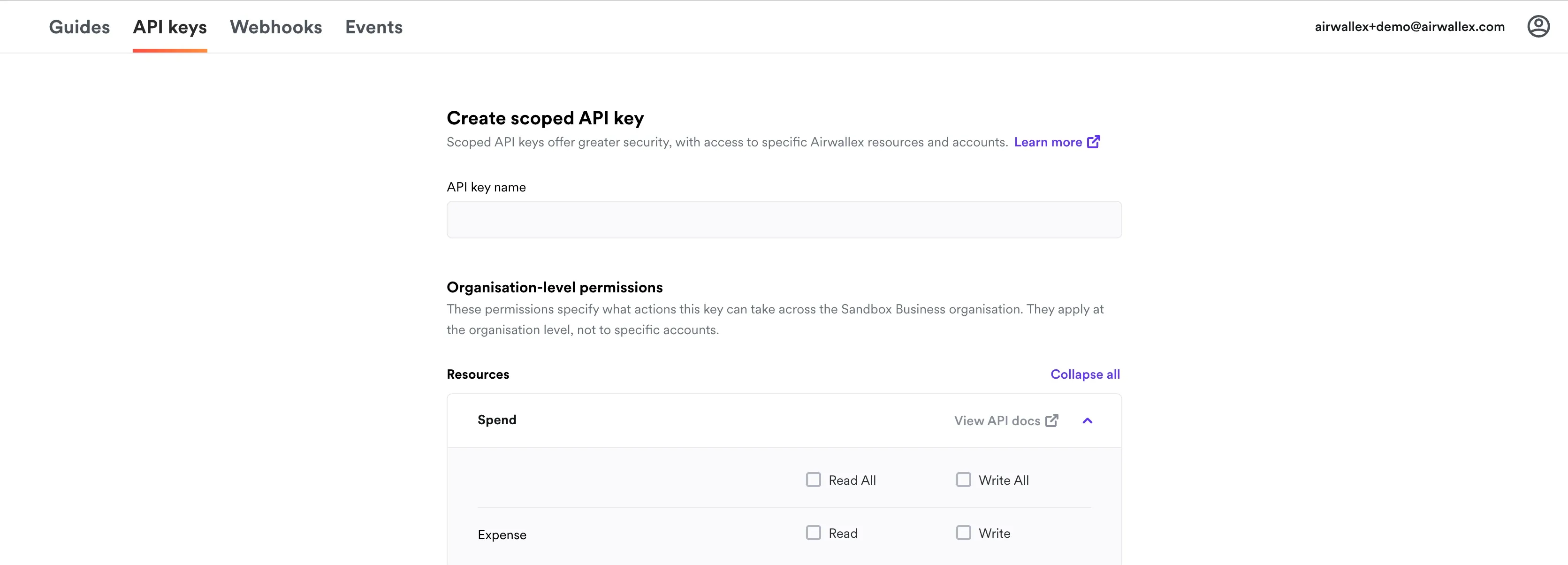
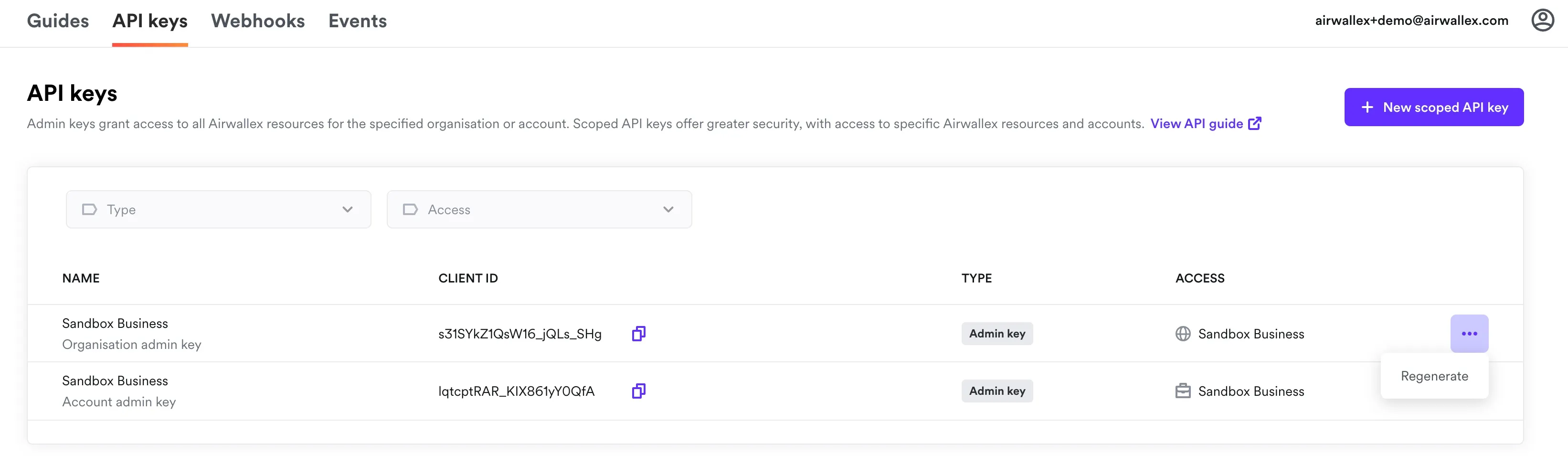
- Select Settings > Developer > API keys
- Click New scoped API key
- Enter "Chargeblast" for the scoped key in the API key name field
- Configure Read and Write access for both Organization and Account-level scope
- Click Create to generate the scoped API key
- Copy the API key and store it securely, as you will not be able to view it again in the web app
- Client ID is right beside the Name once the API Key is created
Tags
airwallexintegration
Was this article helpful?
Help us improve our documentation